
Understanding Game Demo on slot ovo
Game Demo is a practice environment built into the slot e-wallet app. When you launch the app for the first time, you're offered two paths: create a real-money account or explore Game Demo. Choosing demo gives you instant access to our full catalogue of games — live-dealer tables, slots, and sportsbook markets — with a virtual balance that never runs out. This balance is reset periodically (typically daily or weekly, depending on your activity), so you always have funds to play with.
The demo experience is identical to real-money play in every way except one: your bets don't affect your actual account balance. You see the same dealers, the same card decks, the same roulette wheels. You interact with the same interface, place bets using the same controls, and watch results unfold in real time. The only difference is that when you close the app and return later, your demo balance has been refreshed. This design ensures that demo players can experiment freely without the pressure of losing funds.

Game Demo is particularly valuable for new players. Rather than jumping into a real table with money on the line, you can spend as much time as you need learning how blackjack, roulette, or baccarat works. You can test different betting patterns, watch how the dealer responds to your decisions, and build confidence before transitioning to a funded account. Experienced players also use demo mode to familiarise themselves with new game variants or to warm up before a session.
The app tracks your demo activity separately from your real-money account. If you eventually fund your account, your demo history doesn't carry over — your real-money balance starts fresh. This separation is intentional: demo play is practice, and real-money play is where your actual funds are at stake. We keep these experiences distinct so there's no confusion about which balance is which.
Game categories available in demo mode
Game Demo includes our full range of offerings. Live-dealer tables are the centrepiece — you can join blackjack, roulette, baccarat, and Dragon Tiger tables with real dealers streaming from our studios. Slot games are also available, including popular titles like Aviator, Sweet Bonanza, Gates of Olympus, Fortune Tiger, and Mahjong Ways. Sportsbook betting is included too, so you can place demo bets on Liga 1 matches, Piala AFF tournaments, and international football leagues.
Each category works exactly as it does in real-money mode. Live tables operate on the same schedule, with the same betting windows and payout structures. Slots spin with the same mechanics and animations. Sportsbook odds are live and update in real time as matches progress. The only limitation is that your bets are virtual — they don't affect your actual account balance or your withdrawal eligibility.
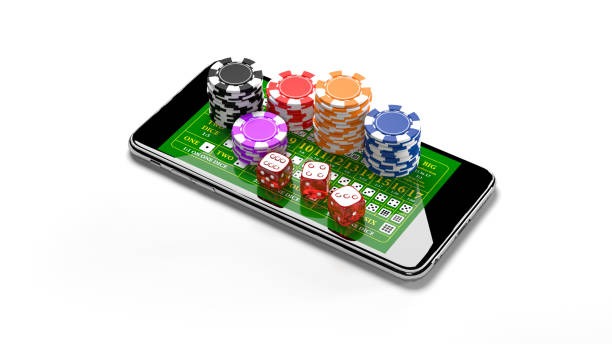
Game Demo removes the barrier to entry. You can explore our entire platform, learn the rules, and build confidence — all without spending a single rupiah.
How Demo Play Differs from Real-Money Play
The core difference is straightforward: demo bets don't cost you anything, and demo winnings don't add to your account. Beyond that, the experience is identical. You see the same live dealers, the same game rules, the same payout tables. The interface is the same, the streaming quality is the same, and the speed of play is the same. If you're testing a strategy or learning a new game, demo mode gives you an accurate picture of what real-money play will feel like.
One practical difference is that demo balances reset, while real-money balances persist. If you lose your entire demo balance, you can simply close the app and reopen it to get a fresh allocation. With real money, losses are permanent unless you deposit more funds. This reset mechanism is what makes demo mode risk-free — it's designed specifically for learning and experimentation.
- Demo balance
- Virtual currency that resets periodically. Bets don't affect your real account. Useful for learning and testing strategies.
- Real-money balance
- Funded via local payment, online payment, e-wallet, mobile banking, local payment, online payment, or bank transfer. Losses are permanent. Winnings can be withdrawn.
- Account verification
- Demo mode requires only email verification. Real-money play requires KYC documents (ID, proof of address) and two-factor authentication.
- Withdrawal eligibility
- Demo winnings cannot be withdrawn. Only real-money balances can be withdrawn to your original payment method.
Transitioning from demo to real-money play
When you're ready to move from demo to real-money play, the process is straightforward. Tap the account menu in the app and select "Fund Account" or "Deposit". You'll be prompted to complete KYC verification if you haven't already — this involves providing your full name, date of birth, phone number, and a valid ID number. Verification typically completes within a few hours.
Once verified, you can deposit using any of our eight payment methods. Choose e-wallet, mobile banking, local payment, online payment, e-wallet, or mobile banking for instant e-wallet deposits, or use local payment, online payment, or e-wallet for bank transfers. Your balance updates immediately, and you can join a real-money table right away. Your demo account remains accessible — you can switch between demo and real-money modes at any time by tapping the mode selector in the app.
-
1
Download the slot mobile banking appStep 1
Available on Android and iOS. Search for "slot local payment" in your app store and install.
-
2
Create an account with emailStep 2
Enter your email and create a password. Verify your email via the link we send.
-
3
Choose Game DemoStep 3
Select "Game Demo" from the home screen. You'll receive a virtual balance instantly.
-
4
Explore games and learnStep 4
Browse live tables, slots, and sportsbook. Place demo bets and familiarise yourself with the interface.
-
5
Complete KYC verificationStep 5
When ready for real money, provide identity documents. Verification takes a few hours.
-
6
Deposit and start playingStep 6
Choose your payment method and fund your account. Your balance updates instantly.
Game Demo on Android and iOS
slot online payment Game Demo is optimised for both Android and iOS. The app is lightweight and installs quickly, even on older phones. Once installed, Game Demo loads in seconds and streams smoothly on standard mobile networks. We've engineered the app to work on 4G, 3G, and even slower connections, so players across Indonesia can access the demo without frustration.
The interface is touch-optimised. Buttons are sized for thumb interaction, and betting controls are positioned for easy access without reaching across the screen. Live-dealer video occupies the upper portion of your screen, while game information and betting options sit below. This layout works equally well on portrait and landscape orientation — rotate your phone and the interface adapts automatically.
Game Demo removes friction from the learning process. You can explore slot e-wallet on your terms, at your pace, without financial pressure.
Data usage and streaming quality
Game Demo uses the same streaming infrastructure as real-money play. Live-dealer video streams in HD by default, but the app includes a low-data mode for players on limited data plans. Low-data mode reduces video bitrate by roughly 40 percent without cutting frame rate, so you still see the dealer's movements and card reveals clearly. This is particularly useful if you're playing during a commute or in an area with variable network quality.
The app monitors your connection speed and suggests the appropriate streaming mode. You can override this and manually switch between standard and low-data modes at any time. If your connection drops mid-game, the app attempts to reconnect automatically. Demo bets are preserved if you disconnect, so you can rejoin without losing your session.